TL;DR: Who is Instapage Really For?
Instapage is built for serious marketers running big PPC budgets and high-ticket offers.
It’s not designed for hobby projects, solo creators, or small affiliate campaigns.
If your business depends on squeezing maximum ROI from paid traffic, this is where Instapage really works its magic.
Best suited for:
- Agencies managing multiple client campaigns
- Brands spending thousands per month on Google Ads or paid social
- Businesses selling high-ticket products or services where one sale covers the cost
- Marketing teams that need to launch and test pages fast, without dev help
Not ideal for:
- Low-ticket digital products or side hustles
- Solo creators on tight budgets
- Standard affiliate marketing setups
If you’re running Google Ads, Facebook campaigns, or social media promotions and want fast, conversion-optimized landing pages without dev help, Instapage is your guy.
If you’re a solo creator or influencer, ConvertKit (now called Kit) or Squarespace is going to be way more your speed.
Instapage is rapid-quick (more on this in a bit), the landing pages look great with zero effort, and its A/B testing is some of the best I’ve ever used.
You can test headlines, layouts, copy, images. Run as many variations as you like, compile and analyze performance inside the dashboard, and then use this data to optimize accordingly.
If you’re looking to add a few percentage points to your conversation rates on paid media and, like me, you have zero design experience or knowledge, I’d 100% recommend trialing it.
But you need to ensure the ROI is there; $99 for 15,000 pageviews makes it one of the most expensive solutions on the market.
It ain’t designed for Amazon Associates.
Instapage is for high-ticket offers and products.
If that’s your wheelhouse and you like to do things on easy mode, you’ll love Instapage.
How I Used Instapage On Some Recent Client Work
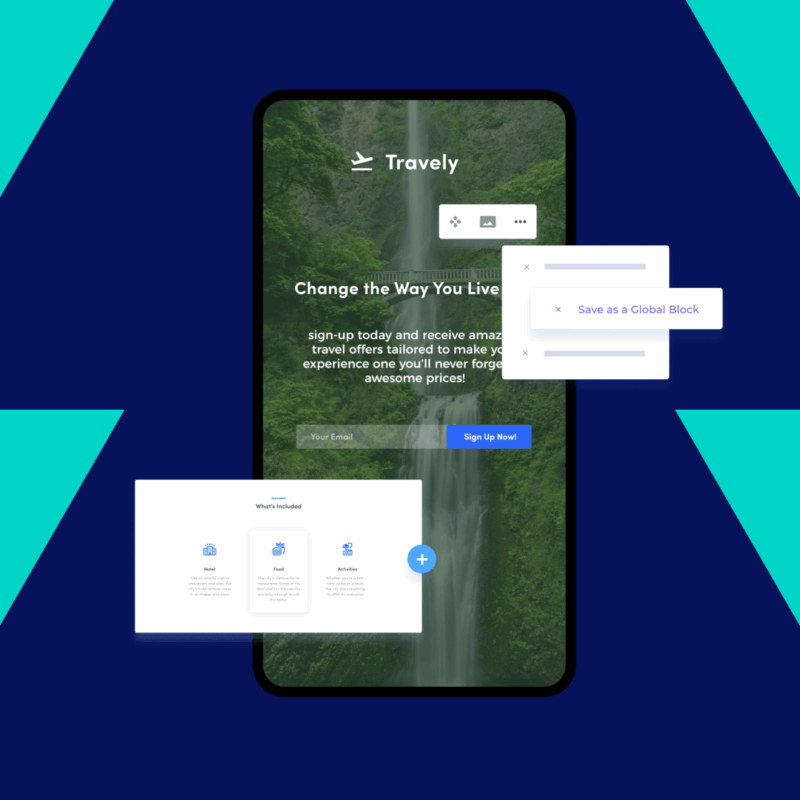
If you’re managing multiple landing pages, Instapage has a few tools that can seriously cut down the time you spend on repetitive tasks.
Here’s how I’ve used them in real campaigns.
Using Workspace Scripts to Update 25+ Pages in One Go
I had a campaign where we were launching products across several brands.
We needed to roll out a new consent banner and update tracking scripts on more than 25 landing pages.
Doing that manually would’ve been a nightmare.
Instead, I used Workspace Scripts to apply the updates across the entire workspace at once.
I dropped in the script, and Instapage injected it into every page automatically.
I could still review each one before going live, but it saved hours of grunt work.
You can use this for:
- Adding Facebook Pixel or GA4 tracking
- Embedding cookie banners or pop-ups
- Managing UTM parameters across all campaigns
- Making quick layout tweaks without touching each page
It’s a massive time-saver if you’re working across multiple brands, clients, or campaigns.
Pulling All Leads at Once with Bulk Downloads
After a month-long paid social campaign, I had leads coming in from 12 different landing pages.
Instead of exporting each one manually, I used the Bulk Lead Download feature to pull everything in a single CSV file.
That made it easy to:
- Upload all the leads into our CRM at once
- Segment them by campaign for email follow-ups
- Share the contact list with our sales team without needing to dig through individual pages
If you’re managing multiple pages or clients, this feature keeps your lead workflow simple and clean.
These aren’t just “nice to have” tools.
They let you move faster, stay organized, and avoid the kind of tedious maintenance that drags projects down.
Instead of wasting time copy-pasting scripts or downloading leads one by one, you can focus on testing, optimizing, and launching the next campaign.
Why Is Instapage So Expensive?
Instapage gets a bad rep because of how much it costs.
And it is expensive; even its biggest fans would agree it is probably a little overpriced.
Packages start from $99 a month for 15,000 pageviews.
There’s also a $199/mo plan that gets you up to 50,000 pageviews and, of course, bespoke, by-request enterprise plans for the big boys

The reason Instapage is so expensive is because it is targeted at agencies and PPC marketers.
Big ticket stuff.
Guys and gals that spend anywhere from $5K to $100K a month on paid traffic, basically.
In this context, speed, stability and ease of use are massive factors.
And Instapage delivers on all counts which is why it’s always in the mix when you’re talking about landing page builders.
For boot-strapped side-hustles, solo creators or anyone just getting started, I’d say look elsewhere: the costs of entry will be too high.
And when it comes to Instapage alternatives for creators and anyone just getting started with a solo project or side hustle, I’d recommend Squarespace
You get a full website, complete with email and the ability to create landing pages as well as support for paid memberships and course / digital product downloads.

It’s simple to use, you can build a professional-looking platform in a couple of hours with zero coding, and it comes with built in analytics for tracking and the ability to build and deploy landing pages.
Instapage Key Features & Benefits

We’ve talked about pricing and market-fit for Instapage. Now it’s time to look at why marketers, agencies, and PPC whales use it.
Here’s a quick overview of Instagpage’s core strengths…
Drag-and-Drop Page Builder That Just Works
Instapage has one of the most intuitive drag-and-drop builders I’ve used.
It’s built for speed and simplicity, especially if you don’t have a designer on hand.
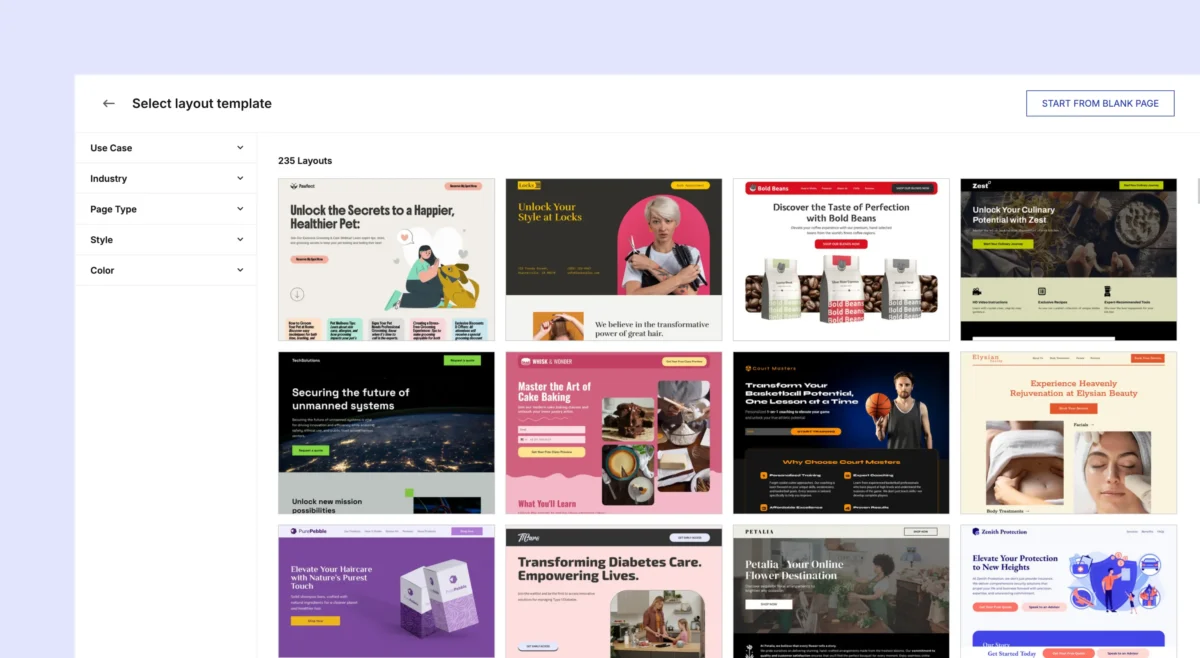
The templates are flexible and polished. Most of the time, I just update the copy and maybe tweak the colors before going live.
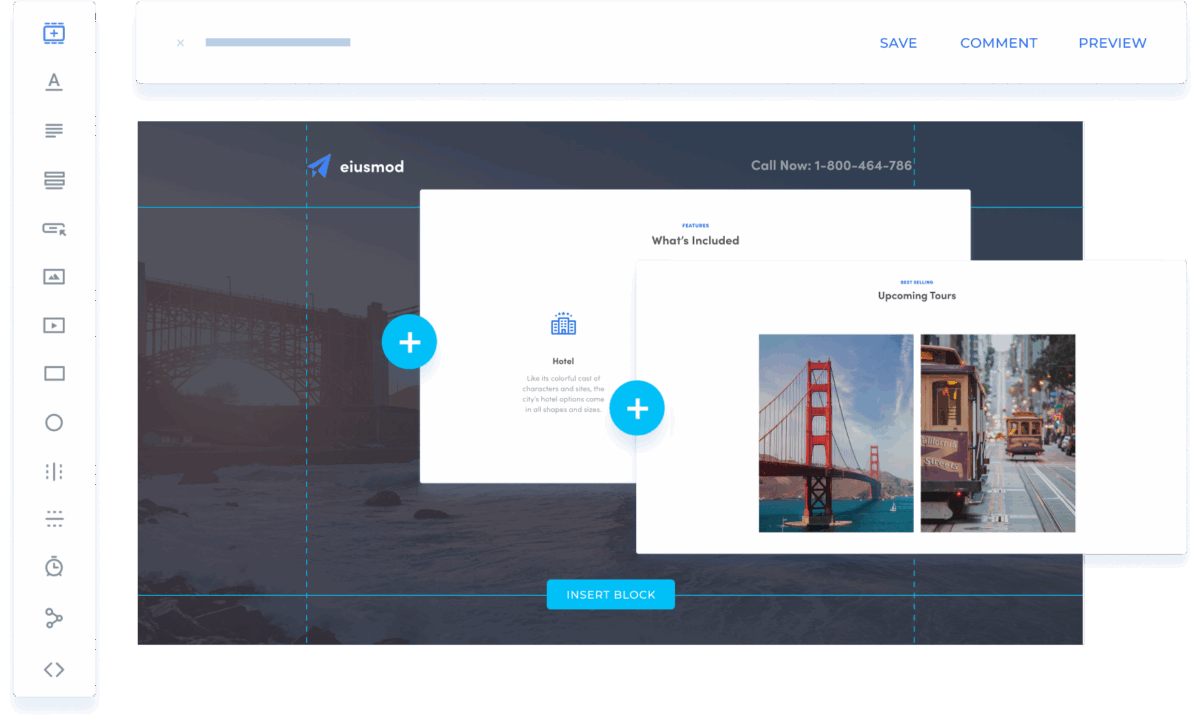
When I do need to customize, it’s easy to drag in new elements and adjust them visually in real time.
The interface is user-friendly, everything responds smoothly, and features like Instablocks and Global Blocks make it simple to reuse sections across multiple pages without rebuilding from scratch.
I’ve used it on projects that ran for weeks, making frequent updates along the way, and I never ran into bugs, saving issues, or crashes.
Real-World Use Case:
I worked on a campaign last year where we had to launch over ten unique landing pages every single week.
Each one targeted a different audience segment with its own messaging, layout, and offer.
Normally, that kind of volume would’ve required a developer or at least a lot of back-and-forth with a design team.
Instead, I used Instapage to speed everything up. I’d clone a base template, make quick changes to the copy and layout, and have the page live in under an hour.
Your Landing Pages Are Designed To Load Fast, Under 2.5 Seconds

- Loads in under 3 seconds (critical for conversions)
- Mobile-responsive out of the box (though with some caveats)
- Lightweight design elements for high speed
A slow page can tank your Google Ads Quality Score, drive up your cost-per-click, and send would-be leads straight to the back button.
Instapage approaches this problem with infrastructure that’s purpose-built for performance marketing.
Instead of relying on general-purpose web hosting, it serves landing pages through a tightly controlled environment optimized for one goal: fast, reliable delivery.
At the center of this system is the Thor Render Engine, a proprietary page rendering framework that minimizes bloated code, prioritizes visible content, and strips out anything that might get in the way of a fast first paint.
Assets are delivered via a built-in CDN, served from edge locations closest to the user, and paired with dual hosting on both AWS and Google Cloud for geographic redundancy and reliability.
The result is a consistently smooth load experience, even when traffic spikes.
Mobile performance is another strong point.
Pages are responsive by default, and for campaigns that need to squeeze out every last millisecond, Instapage also supports AMP (Accelerated Mobile Pages) but Google doesn’t anymore, so that’s that…
By default, pages load instantly. I’ve yet to see a sluggish one in my use of the product.
And if most of your leads are coming via mobile, you need this instant loading. Speed is directly correlated with conversion rates.
You don’t need to do anything either; everything is baked in. Things like automated image compression, asset lazy-loading, and real-time code optimization all happens in the background.
SSL comes standard too which means no browser warnings and trust issues. You do not want any red flags on your landing pages.
Try doing all that with a bloated WordPress site.
A/B Testing Built-In
Instapage includes native A/B testing, which makes it easy to experiment without relying on outside platforms or extra setup.
You can spin up variations of a page in minutes, adjusting headlines, calls to action, layouts, or even small details like button colors.
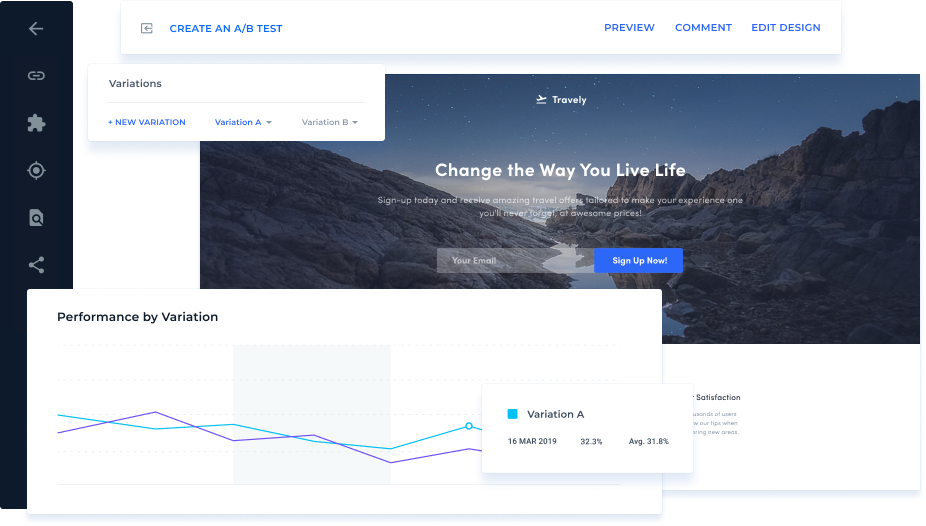
The testing workflow is straightforward: duplicate the original page, make your changes, and let Instapage automatically split traffic between the versions.
Results come back quickly and are easy to interpret, which is ideal for teams that want to move fast and refine campaigns on the fly.
That said, the analytics layer is relatively shallow.
While you’ll see conversion rates and traffic splits, you won’t get the kind of granular insights advanced teams often need, such as multi-step funnels or cross-channel attribution.
I always end up exporting data to GA4, Looker Studio, or Mixpanel when I need deeper analysis.
Instapage covers the essentials of testing right out of the box, but serious performance you’ll wanna port it over to GA4, Looker, or Mixpanel.
Huge List of Integrations
Instapage connects with:
- Google Tag Manager & Analytics
- Facebook Pixel
- HubSpot, Mailchimp, Salesforce
- Zapier
- Any CRM or automation tool that supports webhooks
You can also set up CNAME domain mapping, which means your Instapage landing pages can live on a branded subdomain like offers.yourcompany.com instead of a generic Instapage link.
This keeps the user experience seamless, reinforces brand trust, and can even improve ad performance by aligning the landing page URL with the domain shown in your campaigns.
On top of that, running tracking scripts through Google Tag Manager gives you full control over analytics, pixels, and event tracking without touching the page code.
You can update or swap out tags centrally, push changes across multiple pages at once, and maintain cleaner, faster-loading pages.
This setup reduces friction, prevents tracking errors, and makes it much easier to measure performance accurately.
📉 Where Instapage Falls Short
That’s the pros covered. Here’s a quick breakdown on the areas where Instapage falls short.
Premium Pricing That Scales Fast
Instapage isn’t cheap. Pricing starts around $99/mo (as of 2025) for the basic package (15,000 pageviews), with custom quotes for enterprise users.
PlanPriceDomainsA/B TestingSupportBuild$99/mo2✅StandardConvert$199/mo3+✅PriorityIgnite (Enterprise)CustomUnlimited✅Dedicated CSMMobile Editing Limitations
While layouts are auto-generated for mobile, they sometimes require manual tweaks.
I say, sometimes, because this isn’t always the case but you should always check your landing pages for this before deployment.
That’s just a good standard operating procedure for any tool or builder.
Limited for Custom Code Projects
Instapage was never designed as a developer-first platform.
Its focus has always been on speed and usability, not on building highly customized, code-heavy experiences.
That said, recent updates have opened the door—at least a little—for teams that need more flexibility.
What You Can Do with Custom Code Inside InstapageInstapage does support custom HTML, CSS, and JavaScript, which is useful for things like:
- Adding tracking scripts and analytics tags
- Embedding widgets or third-party forms
- Creating simple animations or styling tweaks
- Handling lightweight integrations
This makes it possible to extend functionality beyond what’s available in the drag-and-drop editor.
The problem is that custom code execution happens only on the live page, not in the builder or preview.
That means testing can feel clunky, often requiring extra publishing cycles.
More importantly, complex scripts, especially those that interact directly with the DOM or adjust layouts dynamically, can cause conflicts or break the page structure.
Advanced animation libraries or heavy interactive scripts aren’t supported, and even if you get them to run, performance can suffer.
Instapage itself warns that it isn’t built for developer-heavy customization and suggests working with their Professional Services team or choosing a code-first tool if advanced functionality is a priority.
The State of the Instapage APIIn mid-2025, Instapage rolled out a basic public API, which gives developers access to:
- Workspace data
- Page and analytics metrics
- Lead collection and exports
This API is useful for automating workflows, building reporting dashboards, or connecting with tools like Zapier.
However, it stops short of offering true programmatic control.
You won’t be able to create custom UI components, run real-time data syncs, or natively integrate animation frameworks like React, Vue, or GSAP.
But it’s a start, at least.
📉 Basic Analytics Dashboard
For the price you’re paying, the analytics you get in Instapage are probably one of its biggest failings.
They’re usable but they’re basic AF, and for hardcore, data-driven types like myself it leaves quite a lot to be desired.
You get:
- Heatmaps
- Conversion tracking
- Click tracking
I usually connect Instapage to my go-to analytics platform, Looker Studio.
But there’s plenty of other options for exporting data for reporting, including:
- GA4
- Looker Studio
- Mixpanel
- BigQuery
Instapage vs. Competitors
FeatureInstapageUnbounceLeadpagesWebflowPrice$$$$$$$$Drag-and-Drop✅✅✅✅A/B Testing✅✅Basic❌Mobile Editing⚠️✅✅✅Developer-Friendly❌✅❌✅SEO Support⚠️✅✅✅Ideal ForCRO TeamsAgenciesBudget UsersDesigners/Dev Teams VIEW LATEST PLANS FOR INSTAPAGEUse Cases You Might Overlook
While Instapage is best known as a tool for performance marketers running PPC campaigns, its utility stretches much further.
The same features that make it effective for ad-driven traffic make it a strong fit for a variety of other conversion-focused scenarios.
- Webinar Signups: Use dedicated pages to drive registrations for live or automated webinars. With A/B testing, you can experiment with headlines, speaker bios, and CTAs to maximize signups.
- B2B Lead Capture: Create tailored landing pages for gated assets like whitepapers, demo requests, or case studies. CRM integrations ensure captured leads flow directly into your sales pipeline.
- Waitlist Pages for Launches: Whether you’re rolling out a new SaaS feature, a DTC product line, or an event, waitlist pages built in Instapage let you collect interest and build buzz before launch day.
- Influencer or Affiliate Funnels: Equip influencers and affiliates with branded landing pages tied to unique tracking links. This keeps messaging consistent and makes performance easier to measure.
- Paid Media Bridges to Shopify or WooCommerce: Instead of sending ad traffic to a cluttered store page, direct it to a single-purpose Instapage lander. Once prospects engage, send them seamlessly into your e-commerce checkout flow.
Again, though, you’ll want to make sure that your campaign is going to generate enough of an ROI to justify the cost of running Instapage.
The sweet spot is basically anything over $50 per conversion.
If you’re doing that and you know your approx conversion rate per campaign, the initial cost of Instapage gets way more manageable.
Final Takeaway, Is InstaPage Worth It For Your Project?

✅ Yes, if you:
- Run active paid campaigns
- Need to launch fast
- Prioritize conversions over customization
- Can afford the price
🚫 No, if you:
- Only build the occasional page
- Need deep SEO or site architecture
- Want fine control over mobile and code
Instapage is NOT a cheap tool nor is it designed for small projects, solo creators on shoe-string budgets or side hustlers looking to make a quick buck on the side.
It’s built for whales.
Agencies and brands that run massive PPC and social media ad campaigns, and for this it is damn good.
It ticks nearly all my boxes which is why I’ve used it on multiple projects.
✅ Pros❌ ConsPolished templates & intuitive drag-and-drop builderHigh monthly cost, especially for small teamsPages optimized for speed (Thor Render Engine, CDN, <3s load time)Mobile layouts often need manual tweakingBuilt-in A/B testing, heatmaps, and conversion trackingNative analytics are shallow; advanced users need GA4, Looker, or MixpanelSeamless ad & CRM integrations (HubSpot, Salesforce, Zapier, GTM)Limited developer flexibility; complex scripts can break layoutsWorkflow tools like Workspace Scripts & Bulk Lead Download save hoursAPI is basic and lacks deep programmatic controlInstablocks & Global Blocks for reusable, scalable design elementsStrict refund and cancellation policiesStrong customer support with personalized help in many casesSupport can be slow or unhelpful with billing disputesBut to make it worth your while, you need to have the ROI in place.
Tools in this price bracket only really work for big-ticket offers, where the ROI is massive, where one sale nets you hundreds or thousands of dollars.
For smaller stuff, standard affiliate marketing or sub-$50 digital products, you’re going to be better off with something like Squarespace or ConvertKit (now called Kit).
Kit is an email marketing platform but it comes with landing pages.

Plenty of creators run their entire business through Kit, using it for newsletters, landing pages, and for selling products.
And it is a hell of a lot cheaper than InstaPage too.
If you have the budget, though, and you’re looking to improve conversion rates on your paid marketing campaigns, Instapage is a great tool when used to its fullest potential.
Sharing is Caring!